01 / FULL CHIP
Bring the blocks together.
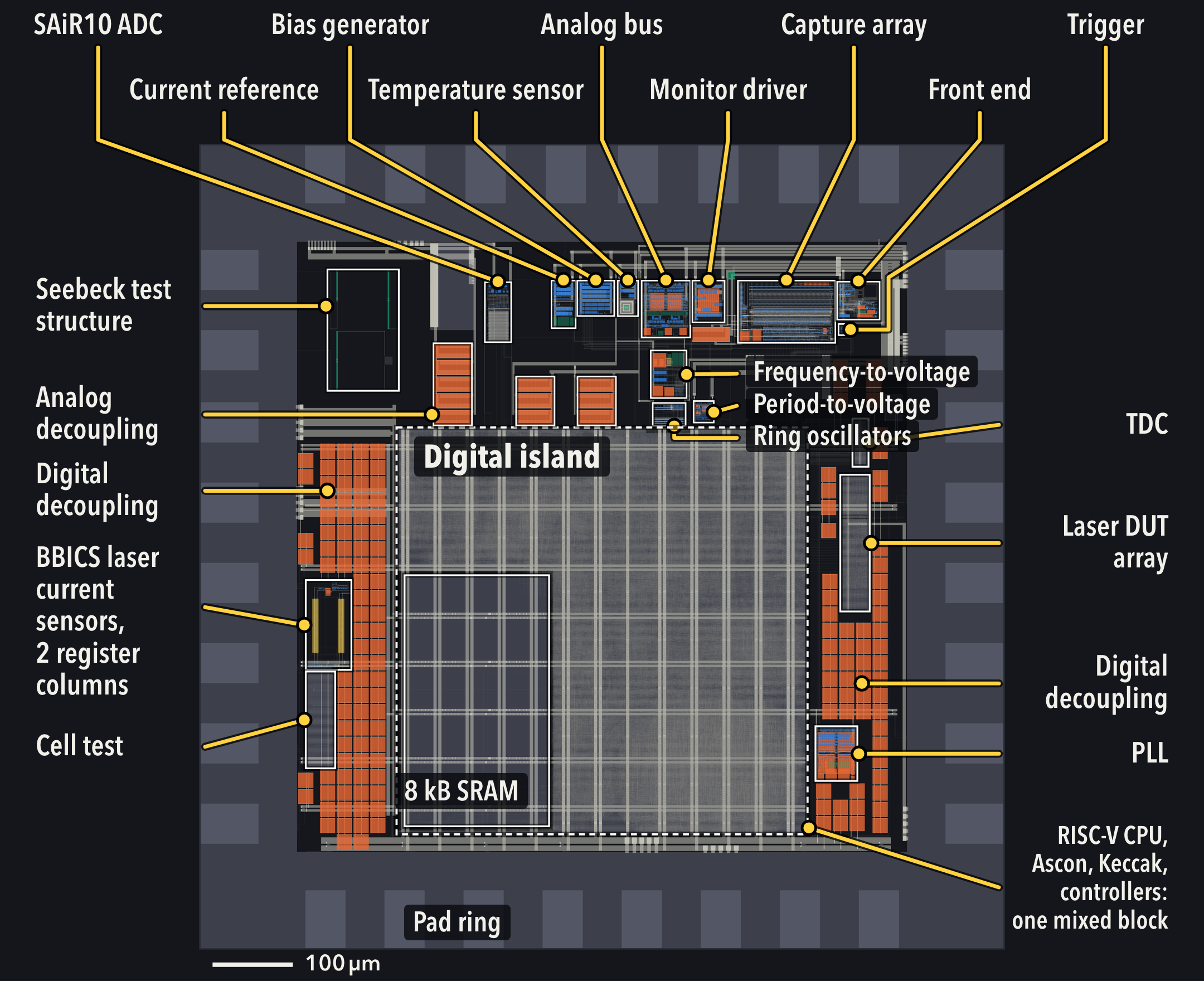
PDK, IP integration, pad ring, sign-off and GDSII stream-out.

TRAME / AI-DRIVEN IC DESIGN SOFTWARE
Trame is IC design software combining advanced AI reasoning with specialised local AI agents for design, simulation and verification. Engineers remain in control.
Local agents protect foundry PDKs and your circuit designs. How it works
01 / FULL CHIP
PDK, IP integration, pad ring, sign-off and GDSII stream-out.
02 / SAR ADC
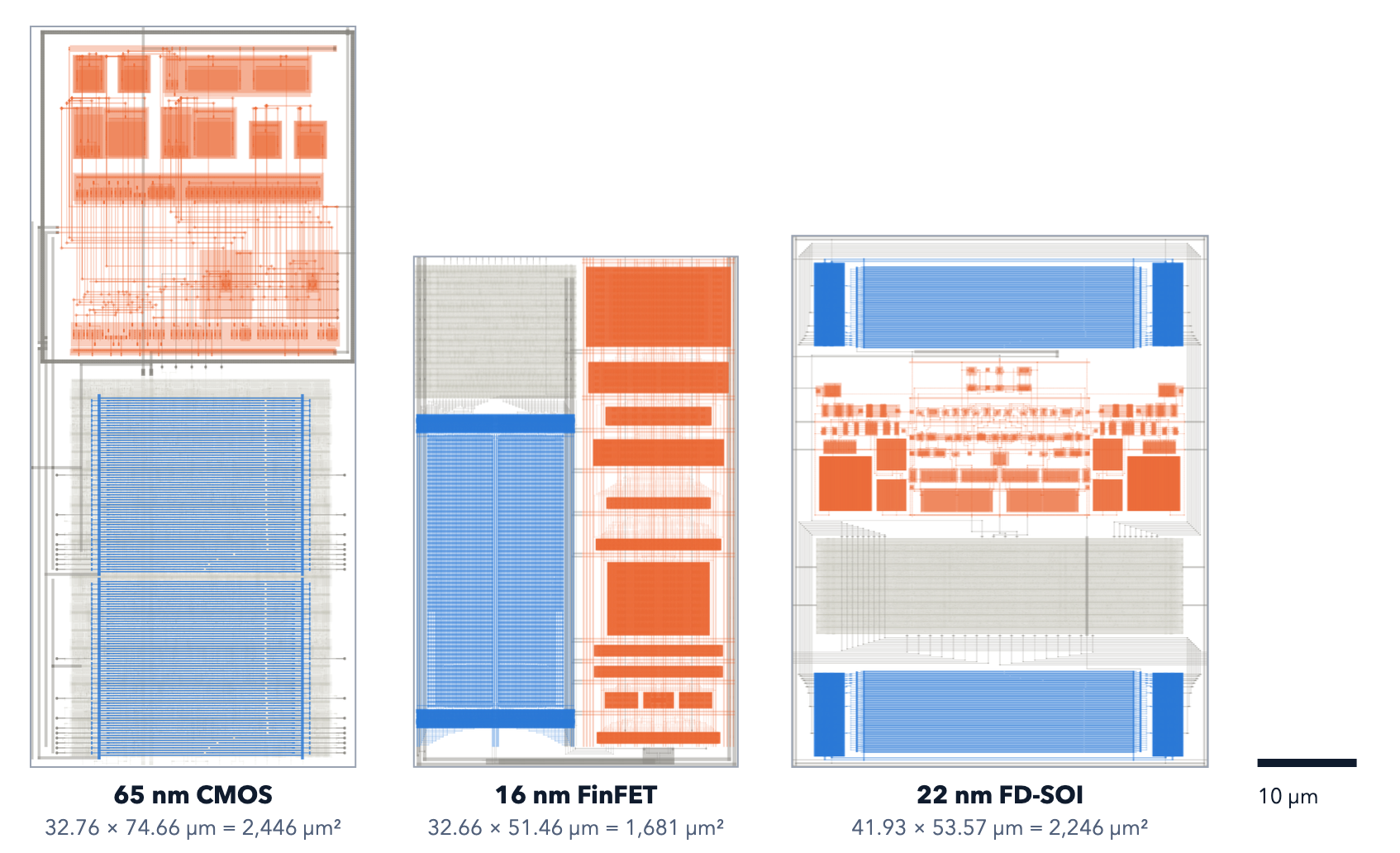
Specification, schematic, layout and post-layout verification.
Based on the published case studies.
THE TRAME SOFTWARE
Specialised local AI agents develop circuits, analyse the PDK and run design iterations. Trame AI-Agent coordinates the workflow; engineers set requirements and approve decisions.
Organise specifications, circuit libraries, imported designs and PDK references.
Configure design tasks, EDA tools, constraints and engineer review points.
Review circuit views, simulation results and verification evidence within the project.
Specifications, technology and rules.
Circuits, models and testbenches.
Layout, routing and integration.
Simulation, PVT, Monte Carlo and PEX.
Verification closure and engineer-approved release.
LOCAL AI-AGENTS & DEPLOYMENT
Local agents protect foundry PDKs and your circuit designs. Choose where Trame AI Core runs.
AI Core runs on Trame infrastructure. Only approved context, requests and abstract results are exchanged over HTTPS.
Local agent and EDA compute requirements are assessed for your workflow.
Access and disclosure policies are agreed against foundry NDA, licence and design-confidentiality requirements.
Discuss hosted AIHTTPS · Approved context, results & licence checks
Local AI inference
Engineer review & approvals
PDK analysis · Circuit design · Simulation
SPICE · Layout
DRC · LVS · PEX
Models · Libraries · Results
DESIGNED WITH TRAME
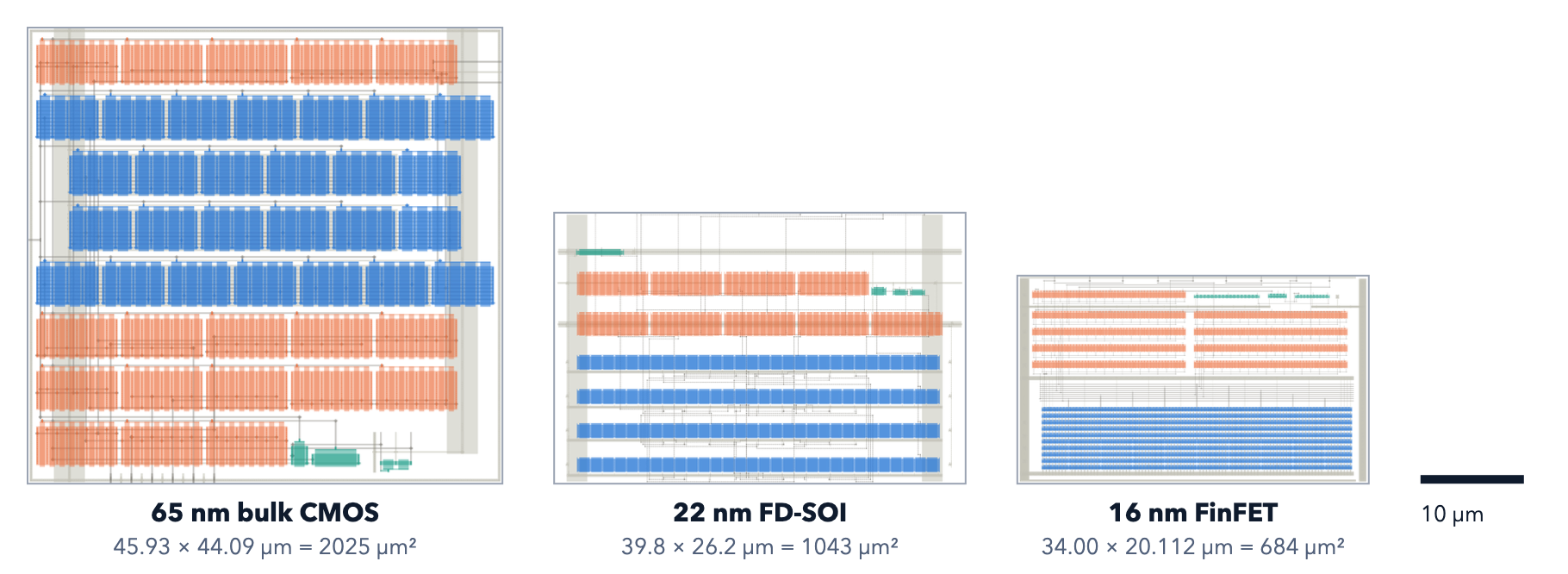
Analog building block
A wide-swing cascode mirror distributing matched 10-µA currents, redesigned and checked for each process.
Evidence Layout & simulation · Verification scope ↗
Explore this circuit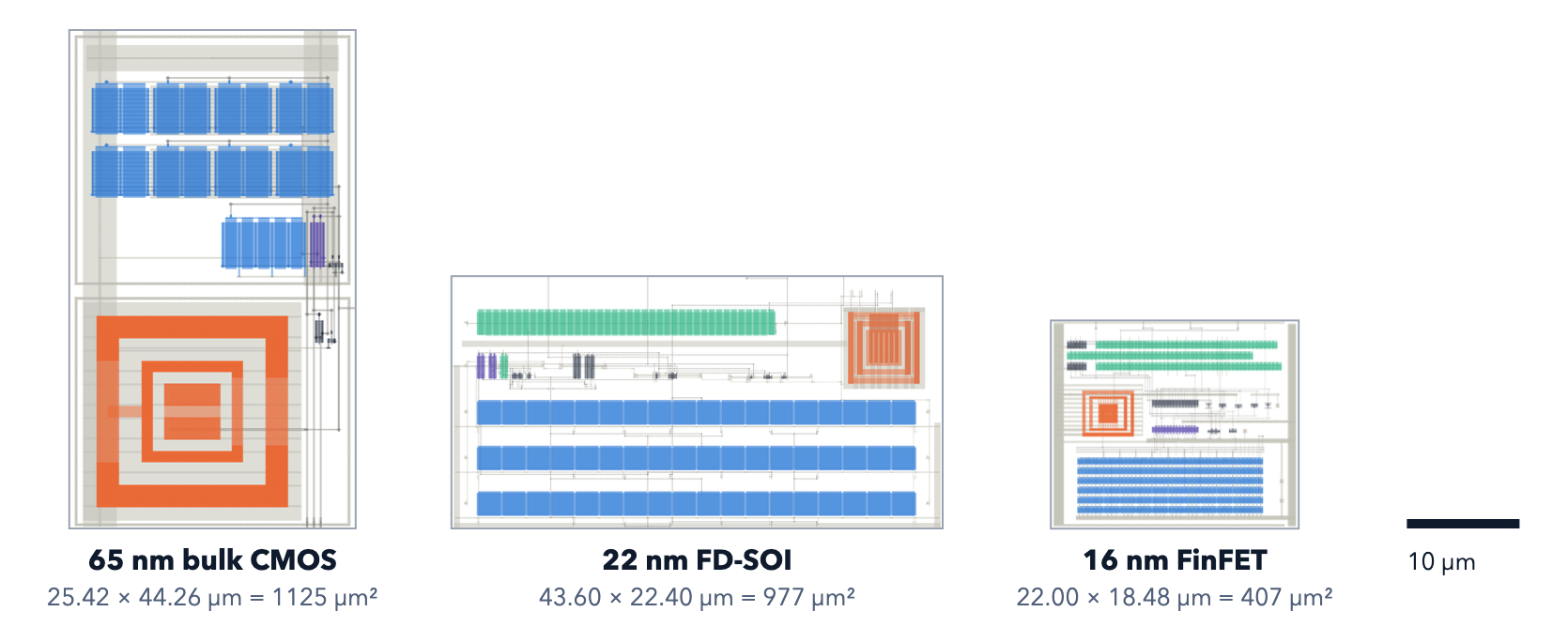
Analog building block
A switched-current ΔVBE sensor across bulk CMOS, FD-SOI and FinFET, with signed-off layouts and complete temperature, noise and Monte Carlo characterization.
Evidence Layout & simulation · Verification scope ↗
Explore this circuit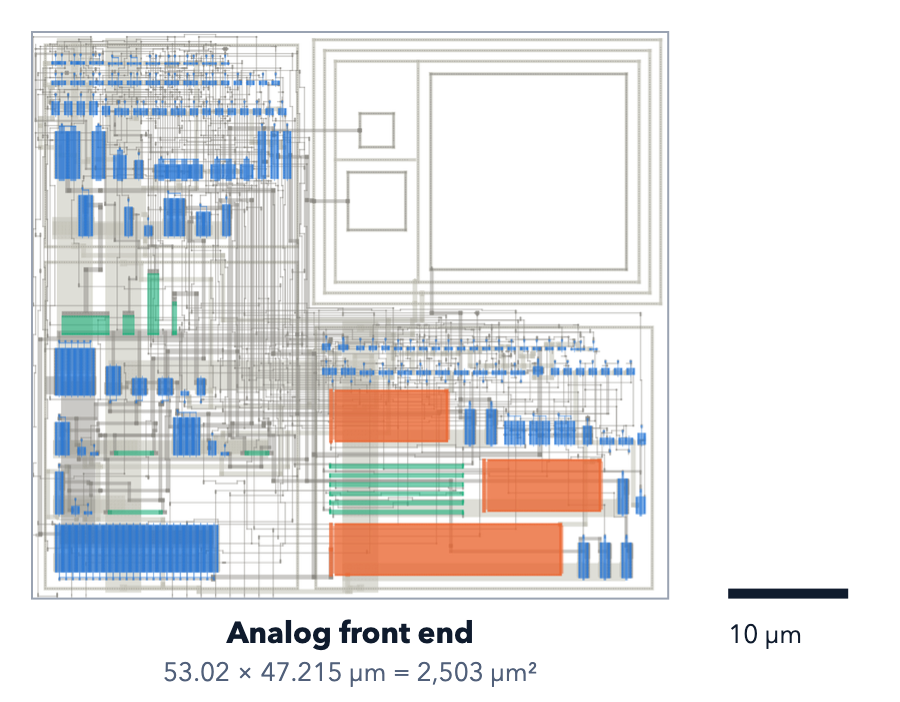
Laser-capture front end
Three sensing paths with programmable transimpedance gain, matched response and on-chip electrical calibration.
Evidence Layout & simulation · Verification scope ↗
Explore this circuitExplore physical layouts, simulation curves and verification scope. Each design includes its simulation conditions and verification status.
WORK WITH THE TOOLS YOU USE
Trame EDA. Cadence. Synopsys. Siemens EDA.
Supported products, versions, interfaces and workflow stages are agreed for your project.
Design, simulation and verification in your licensed Cadence environment.
AI-driven design and verification within your Synopsys workflow.
Design and verification using your Siemens EDA environment.
Circuit, flow and result management within the developing Trame EDA platform.
WORKING WITH TRAME
Use Trame to organise your project, configure supported workflows and review results. Available operations depend on your PDK, EDA tools and deployment configuration.
A fully sized schematic is not required to evaluate Trame. Your starting point can be specifications, an existing schematic or a netlist.
Your team defines the design targets and constraints. Support for specification-driven sizing and multi-variable parameter sweeps is assessed for your circuit, PDK and EDA tools before deployment.
In a supported workflow, your engineers define performance limits and select the required process, voltage and temperature (PVT) cases. You review candidate results, worst-case margins and failures, with Monte Carlo checks where included in your configuration.
Your team approves progression to layout, then reviews physical verification and simulations with extracted parasitics before release.
Your team uses PDK Explorer to browse configured technology resources and select supported models, process corners and libraries for the project. Trame works with your licensed foundry PDK in your authorised EDA environment.
The PDK AI-Agent and circuit-design agents run locally. Supported operations depend on the PDK release and tool versions, with access and disclosure policies defined around your confidentiality and licence requirements.
Yes. With fully local AI, Trame AI Core, specialised agents and EDA tools run on your infrastructure. No AI requests are sent externally. HTTPS licence checks connect to Trame, and updates follow an agreed connectivity policy. Hardware capacity and supported tools are assessed before installation.
Your engineers define specifications, configure workflows and review results. Review points let them approve the next stage, request changes or pause the work.
LET’S MAKE IT CONCRETE
Discuss your circuit, EDA environment and deployment requirements.